.svg?width=93&quality=80&auto=webp&format=auto&cache=true&immutable=true&cache-control=max-age%3D31536000 "Home")


.svg?width=7&quality=80&auto=webp&format=auto&cache=true&immutable=true&cache-control=max-age%3D31536000 "Top Navigation - Sign in - Icon")




Sophos’ Managed Detection and Response (MDR) teams reported on a phishing campaign late last year that attempted to trick users into installing LogMeIn Resolve (formerly GoToResolve), a remote monitoring and management (RMM) tool, to acquire remote unattended access. Following further recent research, we’ve identified some interesting aspects of this campaign.
In two cases we observed, the threat actor went a step further after obtaining initial access, using both pre-existing and new installations of the ScreenConnect RMM tool to download further binaries to the affected devices – in one case an infostealer, in the other a further legitimate RMM tool.
The earliest evidence we found of this campaign was from April 2025, although the bulk of malicious activity appeared to occur in October-November 2025. In total, we identified over 80 affected organizations, predominantly located in the US, across multiple sectors.
During our research, we found that other researchers had discovered what seems to be a similar campaign. Our investigation validates and confirms some of those findings.
As of this writing, some of the phishing links we observed during our investigation appear to remain active, suggesting that the campaign may be ongoing.
Sophos tracks this threat activity cluster as STAC6405.
A special invitation
In some cases, users received phishing emails sent from compromised third-party email accounts belonging to known and trusted senders, indicating a possible downstream compromise. In others, the senders were unknown to the recipients.
Many emails were crafted to resemble Punchbowl event invitations, with subject lines like ‘SPECIAL INVITATION.’ Others referred to different kinds of ‘invitation’, such as an invitation to bid for a tender. The emails contained links to binary files hosted on attacker-controlled distribution sites.

Figure 1: An example of one of the malicious lures
These distribution sites hosted legitimate LogMeIn Resolve binaries, preconfigured to register the targeted device to an attacker-owned account. Sophos MDR initially noted separate distribution subdomains utilizing the same domain ('.ru[.]com'), although the threat actor seems to have since used different domains, such as mastorpasstop[.]top, evitereview[.]de, and evitesecured[.]top (note that some of these domains contain references to ‘evite’, in line with the invite-themed lures).
In some cases, we noted that the threat actor appeared to have made some effort to proactively change the themes and branding of their distribution sites. For example, in January, one distribution URL led to a Microsoft Teams-themed landing page.
However, a subsequent visit to the same domain showed a Norton theme:
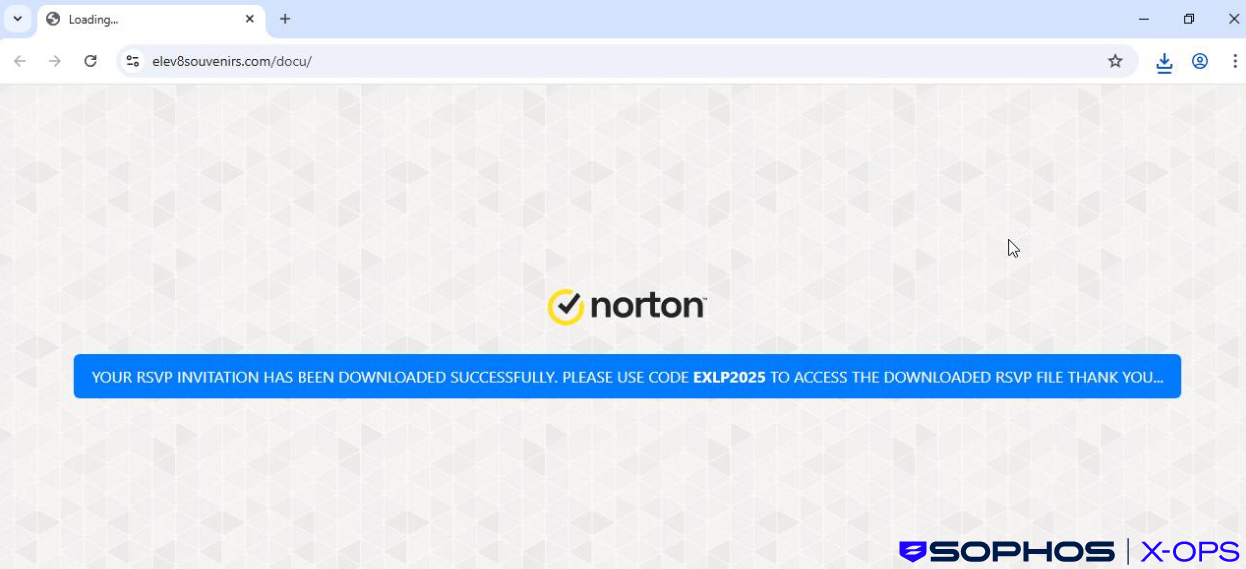
Figure 2: A Norton-themed distribution website
We are unsure if this change was simply the result of the threat actor updating their campaign, or based on distinctions between user agent, language/region, or similar.
In their report on a similar (possibly linked) campaign, researchers from Red Canary noted that the threat actor was redirecting users to error pages if their user agent strings did not match Windows or Android operating systems. However, we didn’t see an error message in this case, and we were able to download the RMM tool (in this case, ScreenConnect) on both occasions.
Once the user executed the downloaded binary, the attacker gained unattended remote access to the device via the LogMeIn Resolve platform. This agent installation then wrote a configuration file to disk that stored a hard-coded relay domain, controlled by the attacker.
The agent also registered a Windows service with a unique UID that pertained to the specific configuration file mentioned above, which was stored separately to any pre-existing and benign RMM tooling present.
Examples of RMM installer filenames we observed during our investigations included:
- Invitation.exe
- ContractAgreementToSign.exe
- Diverse-Build-Solution.exe
- invt-list2025.exe
- SPCL_INVITE_RSVP_2025.exe
- statmts_PDF-10.25.exe
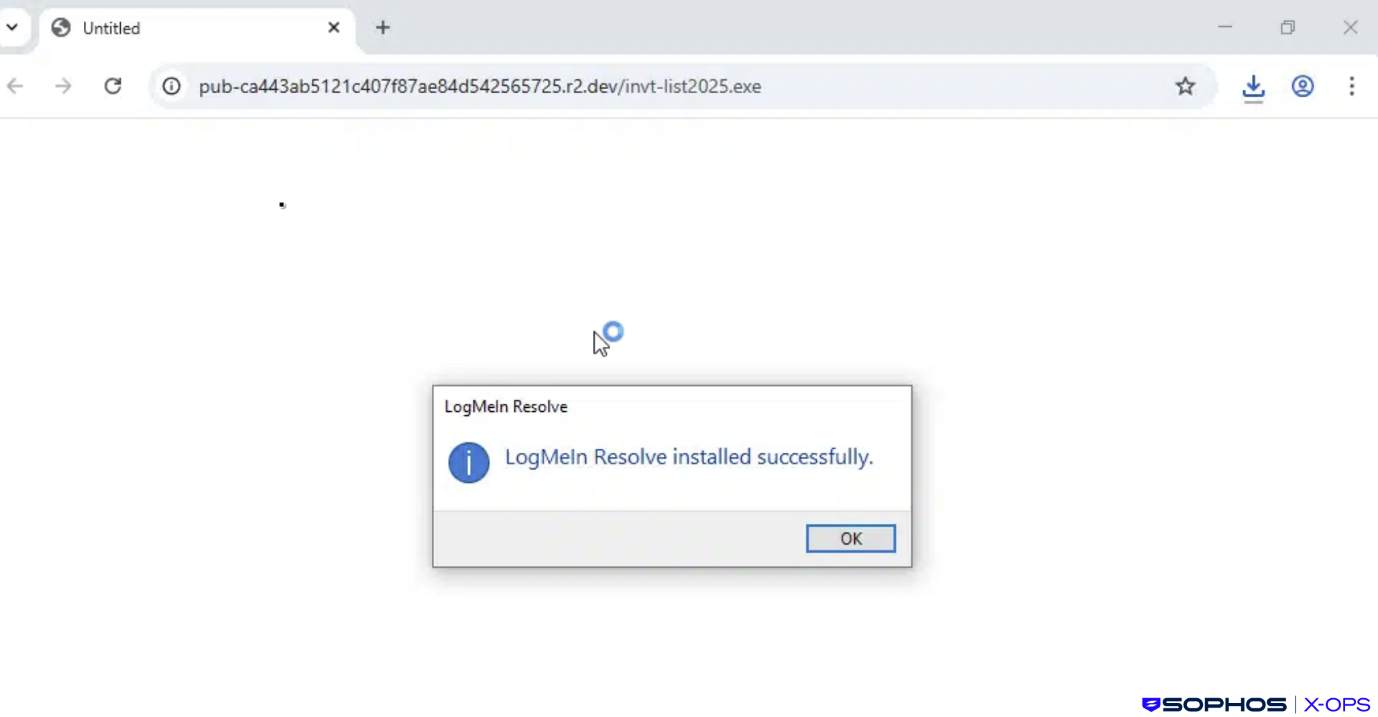
Figure 3: Following execution of the downloaded binary, LogMeIn Resolve is installed
In the majority of cases, with the RMM tool downloaded and installed, the attacks appeared to stop there. While we do not have any evidence to suggest any particular motive for this, threat actors will often acquire initial access to a system and then leave, or remain dormant for a period of time, sometimes periodically returning for a brief period to check they can still access the system.
In such cases, threat actors may be waiting to see if their activities have been detected, or to conduct further research; in others, they may be acting as initial access brokers (IABs), attempting to sell the accesses they’ve acquired for profit on criminal marketplaces.
In two incidents we observed, however, the threat actor very quickly proceeded to a second stage, dropping and executing further files on the compromised systems.
An invisible mouse and stolen data
In the first incident, the user downloaded the RMM tool (LogMeIn Resolve) via the attack chain described earlier at 17:38 UTC.
Less than an hour later, the threat actor used a pre-existing installation of ScreenConnect to download a ZIP file (8776_6713_exe.zip).
We do not know why the threat actor opted to use ScreenConnect in this particular case; it is possible that, having performed some basic enumeration of the host, they identified the installation and opted to use it either for ease-of-use, or because they reasoned that ScreenConnect activity would blend in with existing RMM activity and would therefore be less likely to raise suspicion.
The ZIP file, which was packed with the Packer-as-a-Service tool HeartCrypt, contained HideMouse.exe and 8776_6713.exe. The former is a relatively benign utility that saves a copy of the current system cursor, creates a transparent (invisible) cursor, and replaces the default system cursor with the transparent one – likely in an attempt to conceal malicious RMM activity from users. It’s worth noting here that such utilities are not necessarily malicious in themselves; over twenty years ago, developers were creating such tools to hide distracting cursors when playing games.
8776_6713.exe, on the other hand, we assess as malicious. As noted above, this was packed with HeartCrypt, and during the malware development/compilation, the threat actor injected the malicious code into a legitimate binary – a feature of HeartCrypt we’ve reported on before. In this case, looking at embedded PDB debug paths, we assess that the legitimate binary in question was likely a popular video game.
Once executed, 8776_6713.exe sits idle for an extended period of time, typically around four to nine minutes, which is a common tactic employed by malware to evade automated sandboxing and heuristic-based detection mechanisms. This delay was achieved using a set of registers with a large hex value and multiple nested loops, and varies according to the computational resources of the infected device.
After this idle phase, the malware proceeds to inject code into csc.exe, a legitimate Microsoft executable that is a known living-off-the-land binary (LOLbin).
It then proceeds to connect to a suspected command-and-control server at 45[.]56.162.138. Network analysis of this IP address did not reveal active threat intelligence indicators or historical malicious associations at the time of investigation.
The infostealer also contains an encrypted payload, decrypted at runtime using a TripleDES cryptography helper, the behavior of which we assess to be similar to that used by ValleyRAT.
After establishing external connectivity, the malware proceeds with multiple post-compromise actions indicative of information-stealing malware, including:
Data theft capabilities
- Harvesting browser-stored data, including credentials and session artifacts
- Attempted extraction of cryptocurrency wallet data
System reconnaissance
- Enumeration of host system information, including OS and environment details, via WMI.ExecQuery
- Discovery of installed security and antivirus products (these are not hardcoded into the malware, but are enumerated using a WMI query: WMI.ExecQuery(SELECT * FROM AntiVirusProduct). It’s important to note here that while we found some strings referencing the disabling of security products in memory, we did not find any function present in the malware which performs such activity
- Enumeration of available imaging and camera devices (we did not observe any function in the malware that used this information, although such enumeration is typically done to support features such as taking screenshots of targeted users’ desktops).
A bundled RMM
In another incident, the threat actor switched up their approach. Here, rather than LogMeIn Resolve, the downloaded RMM was ScreenConnect, preconfigured to connect out to relay[.]aceheritagehouse[.]top:8041, where it joined an access session as a Guest client. Once connected, it gave the threat actor interactive access to the system.
The downloaded binary – invite.exe in this case – launched the ScreenConnect client as a service, and also started a Java-based remote access payload (RemoteAccess.jar and jwrapper_utils.jar) inside its bundled Java Runtime Environment (JRE). It proceeded to enumerate firewall rules – suggesting it was preparing for network activity – and abused SimpleService.exe (from JWrapper) to register its own service (simplegateway.service) before executing a binary (Remote Access.exe).
This binary, which we assess as being related to SimpleHelp (a legitimate RMM tool), further executed jwrapper.JWrapper with accompanying JAR files (remoteaccess-jar-with-dependencies.jar, jwrapper_utils.jar).
Working with the customer, we were able to contain this incident before the threat actor could take any subsequent actions.
Conclusion
This campaign reflects a growing trend in phishing operations: abuse of trusted third-party relationships and infrastructure to establish initial access, and abusing legitimate tools rather than deploying malware – at least in the early stages.
Much of this campaign remains something of a mystery. As noted, we saw malware infections in only two of the cases we observed, and the disparate nature of those infections – one an infostealer, the other a RAT – could be due to a number of scenarios.
For example, the threat actor may have sold or given away their access to these two systems very quickly, leading to other threat actors with different objectives taking different approaches. Or the threat actor may have been experimenting with their accesses and trying out different tactics on two ‘test’ systems.
As of this writing, some of the campaign infrastructure appears to remain active. We’ll be keeping an eye out for further developments related to this campaign.
MITRE Mapping
| Tactic | Technique | Sub-Technique | ID |
|---|---|---|---|
| Initial Access | Phishing | Spearphishing Link | T1566.002 |
| Execution | User Execution | Malicious File | T1204.002 |
| Defense Evasion | Delay Execution |
Delay Execution |
T1678 |
| Credential Access | Credentials from Password Stores | Credentials from Web Browsers | T1555.003 |
| Discovery | Software Discovery System Information Discovery | Security Software Discovery | T1518.001 T1082 |
| Collection | Automated Collection |
| T1119 |
| Command and Control | Remote Access Software Encrypted Channel | T1219 T1573 |
Protections
Sophos has multiple protections against this campaign, including but not limited to:
- win-prot-rep-pua-generic-reputation-pua
- win-prot-hmpa-malware-hollowprocess
- win-prot-behavioral-malware-evade-34n-t1055-002
- win-det-evade-hmpa-hollowprocess-1
- Troj/Steal-FGV
- Troj/HCrypt-D
- Generic Reputation PUA (PUA)
In addition to usual best practice (such as restricting installations to approved software, and hardening credential management by enforcing the use of secure password managers or, ideally, migrating to passkeys), we also recommend the following specific actions:
- Implement an Application Control policy within Sophos Central to block unauthorized RMM tools
- Uninstall LogMeIn and other RMM tools if not required for business purposes
- Block any URLs, if present, mentioned in the IOCs
We have also provided search queries below for identifying:
- Process activity spawning from malicious binaries
- Recent RMM installations
- Active connections made through LogMeIn
- File transfers made through ScreenConnect
Identify process activity that spawned from the malicious binaries:
SELECT
    meta_hostname,
    date_format(from_unixtime(time), '%Y-%m-%d %H:%i:%S') as date_time,
    time AS epoch_time,
    pid, sophos_pid, username, user_sid, path, name, cmdline,
    parent, parent_sophos_pid, parent_name, parent_path, parent_cmdline,
    sha1, sha256, file_size, uid, gid,
    CASE
        WHEN LOWER(name) = 'filename' THEN 'Direct Execution'
        WHEN LOWER(parent_name) = 'filename' THEN 'Child Process'
        WHEN LOWER(cmdline) LIKE '%filename%' THEN 'Referenced in CmdLine'
        WHEN LOWER(parent_cmdline) LIKE '%filename%' THEN 'Referenced in Parent CmdLine'
        ELSE 'Other Reference'
    END as detection_reason
FROM xdr_data
WHERE
    query_name = 'running_processes_windows_sophos'
    AND (
        LOWER(name) LIKE '%filename%' OR
        LOWER(cmdline) LIKE '%filename%' OR
        LOWER(path) LIKE '%filename%' OR
        LOWER(parent_name) LIKE '%filename%' OR
        LOWER(parent_path) LIKE '%filename%' OR
        LOWER(parent_cmdline) LIKE '%filename%'
    )
ORDER BY time ASC
Identify recent RMM installations:
SELECT
name,
version,
install_location,
install_source,
publisher,
uninstall_string,
CASE
  WHEN install_date != ''
  THEN substr(Install_Date, 0, 5) || '-' || substr(Install_Date, 5, 2) || '-' || substr(Install_Date, 7, 2)
  END AS Install_Date,
'Programs' AS Data_Source,
'Device.04.0' AS Query
FROM programs
ORDER BY install_Date DESC
Check for any active connections made through LogMeIn:
SELECT
time, datetime, provider_name, JSON_EXTRACT(data, '$.EventData.Data') AS event_data
FROM sophos_windows_events
WHERE source = 'Application'
AND LOWER(provider_name) LIKE '%logmein%'
AND time > strftime('%s','now','-7 days')
--AND time > strftime('%s','yyyy-mm-dd hh:mm:ss') AND time < strftime('%s','yyyy-mm-dd hh:mm:ss')
Check for any file transfers that occurred via ScreenConnect:
SELECT
time, datetime, provider_name, JSON_EXTRACT(data, '$.EventData.Data') AS event_data
FROM sophos_windows_events
WHERE source = 'Application'
AND provider_name LIKE '%ScreenConnect%'
AND time > strftime('%s','now','-7 days')
--AND time > strftime('%s','yyyy-mm-dd hh:mm:ss') AND time < strftime('%s','yyyy-mm-dd hh:mm:ss')
Acknowledgments
Sophos X-Ops would like to acknowledge the contributions of Suchibrato Mahato and Andrew Jaeger, of Sophos MDR, to this report.