.svg?width=93&quality=80&auto=webp&format=auto&cache=true&immutable=true&cache-control=max-age%3D31536000 "Home")


.svg?width=7&quality=80&auto=webp&format=auto&cache=true&immutable=true&cache-control=max-age%3D31536000 "Top Navigation - Sign in - Icon")


Sophos Protected Browser is a new Sophos product that is part of the recently announced Workspace Protection suite. While Workspace Protection is scheduled to be generally available to purchase starting in late February, if you’re an existing Sophos Customer you can try the new Sophos Protected Browser today, as part of the early access program (EAP).
It literally only takes a few minutes to get up and running… so be sure to check it out and help us make this release the best it can be by providing your feedback on the community.
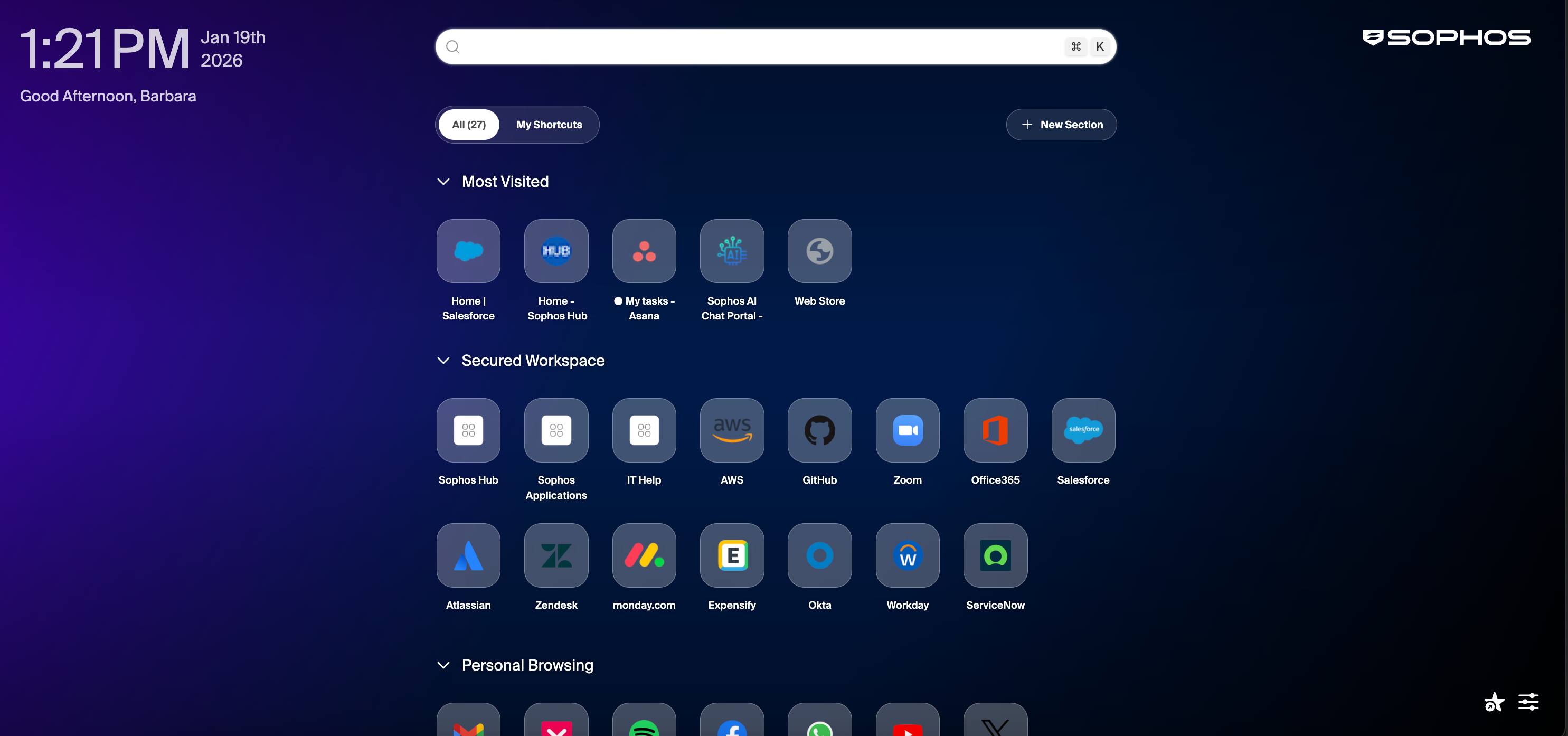
Since the launch, there have naturally been several frequently asked questions that have come up:
When will it be available? How do I get access?
As mentioned above, the early access program is underway and available to any Sophos term customers who wants to take it for a test drive. General availability for ordering and sales for all customers (including MSPs) is currently targeted for February 26th.
What is the nature of the partnership with Island.io in developing the Sophos Protected Browser?
We partnered with Island.io in developing the Sophos Protected Browser. Island is an industry-leading Enterprise Browser vendor with extensive expertise and a very mature product tailored to the large enterprise market. Sophos Protected Browser is a unique Sophos product that leverages Island’s engine to deliver a solution tailored to Sophos customers of all sizes.
With the Sophos Protected Browser, we are using Island’s core Chromium technology and policy enforcement engine in the browser, and integrating Sophos Central management, logging, and reporting, as well as our industry-leading threat intelligence for web and content inspection.
It’s important to note that Sophos Protected Browser shares some common components but is a different product from the Island Enterprise Browser. A good analogy would be that Sophos and Island have both developed different cars – they are not the same – but they share the same engine: both the Island and Sophos Protected Browsers are different products using the same underlying engine.
Do I need to switch from my current browser to Sophos Protected Browser?
That depends: if you don’t want or need the added security and controls provided by Sophos Protected Browser, you don’t need to switch. Sophos Workspace Protection customers can still take full advantage of the ZTNA, DNS Protection, and EMS capabilities of the solution without using the new Sophos Protected Browser. However, if you’re already using a Chrome browser (which most organizations are), then there’s no reason not to switch to Sophos Protected Browser, as it’s a hardened more secure Chrome browser. It looks and feels just like a standard Chrome browser. Even if you’re not using a Chrome browser today, you may still want to switch to Sophos Protected Browser for all the added security hardening and policy capabilities it provides as well as the general compatibility and performance benefits a Chrome browser includes. Switching is easy and frictionless (see below).
Some questions have also arisen about the possibility of a Sophos Protected Browser plugin that would work with other browsers. That is on the roadmap but it’s important to note that an extension can’t provide the same level of security and features that you get with the full Sophos Protected Browser. Organizations looking for the best security and feature set should deploy Sophos Protected Browser.
Does Sophos Protected Browser import bookmarks and history?
Yes. Upon installing Sophos Protected Browser, the user is prompted to import their bookmarks or favorites along with their browsing history and settings from their current preferred browser to enable them to be right at home and productive immediately. Effectively, existing Chrome end-user experiences are retained, making it intuitive and easy to switch to Sophos Protected Browser.
What platforms are Supported?
Currently Sophos Protected Browser is available for Windows or macOS. Other platforms will be added in the future.
What are the key security features of Sophos Protected Browser?
The protected browser helps organizations address essential security use cases for their employees, contractors, or guests can interact with their applications and data. Let’s highlight a few key use cases and how you can leverage these in your environment.
- Hardened against attacks and exploits
- Web site and app access policy and enforcement by device, user, groups, apps, sites, and web categories
- Granular data boundary controls to keep data in apps and control uploads/downloads, copy/paste, and screen shots
- Device posture checks for endpoint protection, full disk encryption, and synchronized security heartbeat
- Options to enforce app access only through the Sophos Protected Browser
- Powerful reporting tools with custom report generation
What are the key use cases that Sophos Protected Browser Enables?
Sophos Protected Browser enables some great use cases that are both current hot topics and important gaps in many organizations. There is a full series of articles planned in the coming weeks on particular use cases and how to make the most of Sophos Protected Browser, but here’s just a sampling of what you can do:
- Safely adopt AI and provide AI governance controls – This is a top challenge for many organizations and Sophos Workspace Protection, and the Sophos Protected Browser provide insights and controls to enable access to sanctioned services while blocking unsanctioned services and even provides controls over data sharing with generative AI solutions.
- Secure SaaS application access and protect against costly data mistakes – Many organizations are looking for controls over how users interact with their SaaS applications and Sophos Protected Browser enables easy controls with features like enforcing the use of the protected browser for access as well as enforcing MFA and even device posture assessment requirements. It also provides granular controls over data sharing to prevent sensitive data from being shared where it shouldn’t.
- Easily enabling guests, contractors and temporary access – The Sophos Protected Browser can be installed in 30 seconds by anyone and you can easily get them productive with the applications they need. Even employees who have a laptop out of commission can install the Sophos Protected Browser on a backup device and be back to work immediately.
Where can I see Sophos Protected Browser in action or learn more?
There’s a couple of ways to see it in action:
- Check out the TechVids how-to demo videos at techvids.sophos.com
- Join the early access program via the community and take it for a test drive
- Learn more by visiting the Sophos Protected Browser web page
- Review the Sophos Protected Browser Documentation