.svg?width=185&quality=80&auto=webp&format=auto&cache=true&immutable=true&cache-control=max-age%3D31536000 "Home")


.svg?width=13&quality=80&auto=webp&format=auto&cache=true&immutable=true&cache-control=max-age%3D31536000 "Top Navigation - Sign in - Icon")


Sophos Firewall の設定内容を分かりやすい形式で確認する方法については、多くのお客様からご要望をいただいていました。この度、Sophos Firewall 製品チームは、ブラウザベースのツール「Sophos Firewall Configuration Viewer」の提供を開始いたします。本ツールを利用することで、ファイアウォールの設定ファイルの閲覧、監査、文書化、比較を簡単に行えるようになります。
なお、お客様のブラウザ以外でデータが共有されることは一切ありません。お客様のデータは非公開のままで、どこにもアップロードされません。ファイルの解析、分析、レポート生成はすべてお客様のデバイス上でローカルに実行されます。
主な機能:
- フィルタリング、並べ替え、検索の機能を備えた単一画面で、Sophos Firewall の設定全体を簡単に確認できます。
- 同一デバイスまたは異なるデバイス間の 2 つの Sophos Firewall 設定を比較し、相違点を確認できます。
- ネットワークオブジェクトへの参照を検索し、設定内で使用されている箇所を確認できます。
- 設定の HTML 版をエクスポートして、文書化やアーカイブに活用できます。
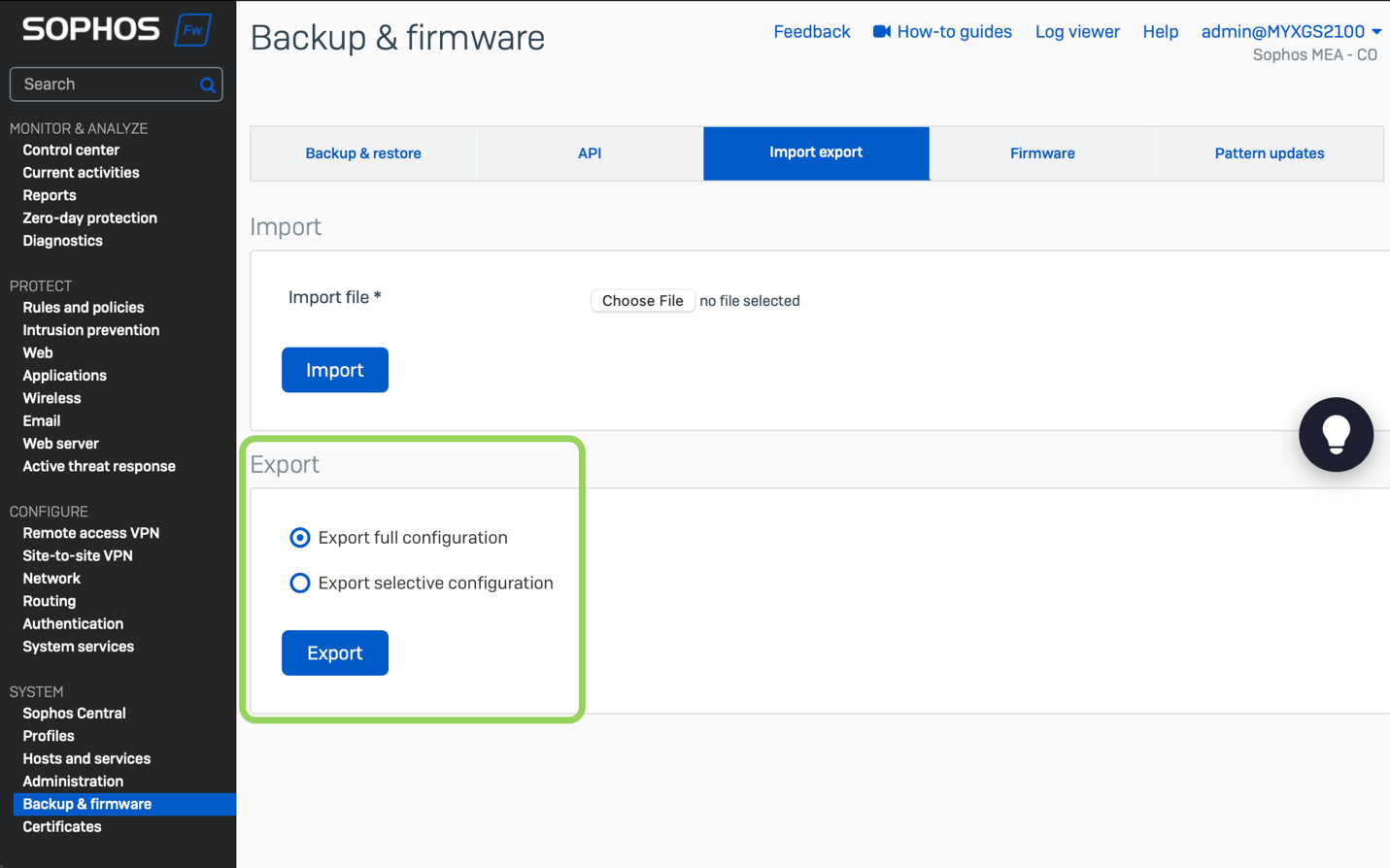
使用方法:使用を開始するには、設定を XML ファイルにエクスポートする必要があります。これは、Sophos Firewall の「バックアップとファームウェア」>「インポート/エクスポート」で簡単に実行できます。
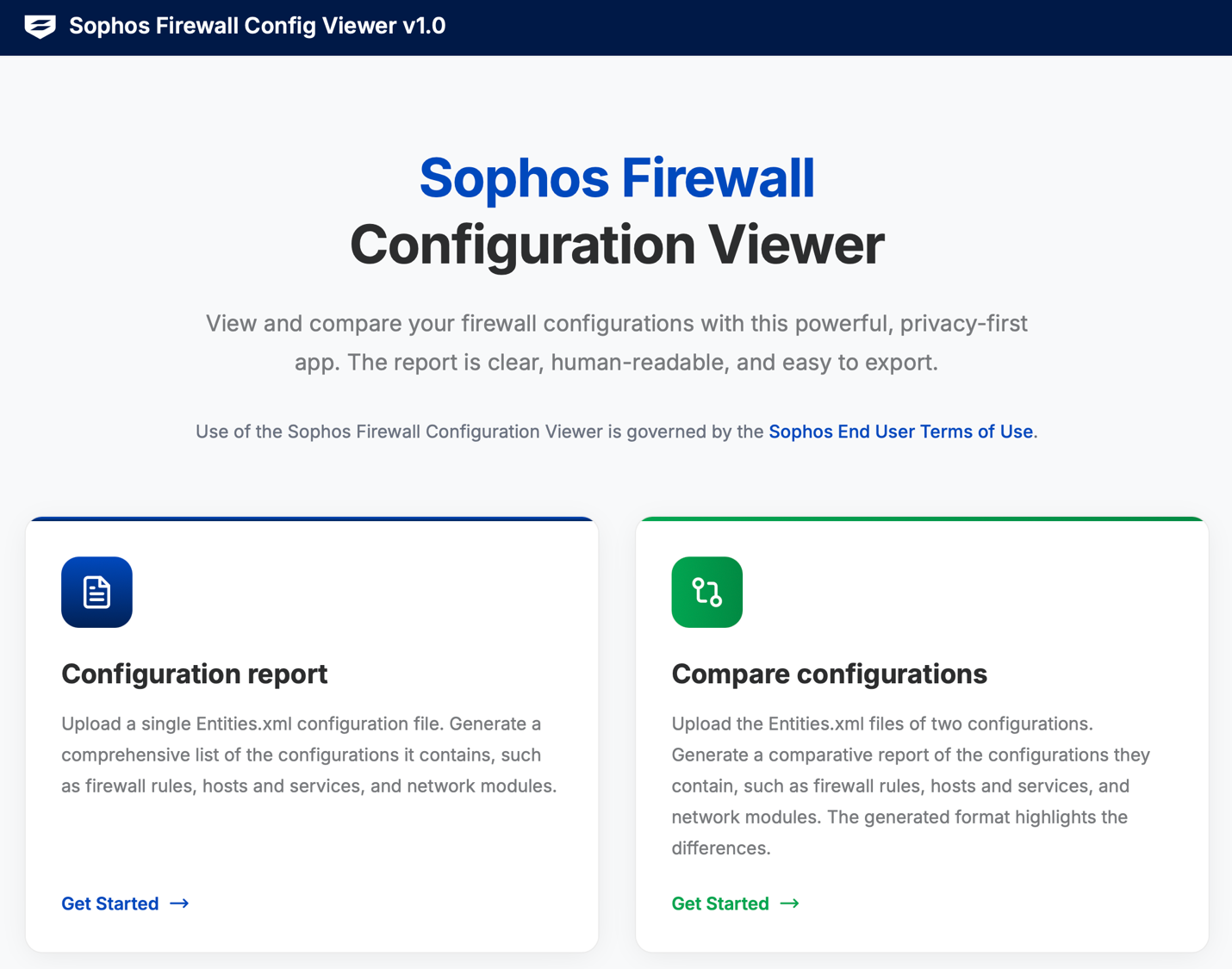
ダウンロードしたファイルを解凍し、entities.xml ファイルにアクセスして Sophos Firewall Configuration Viewer にアップロードします。
すると、フィルタリング、並べ替え、検索、ダウンロードが可能な見やすいレポートが表示されます (下図参照)。
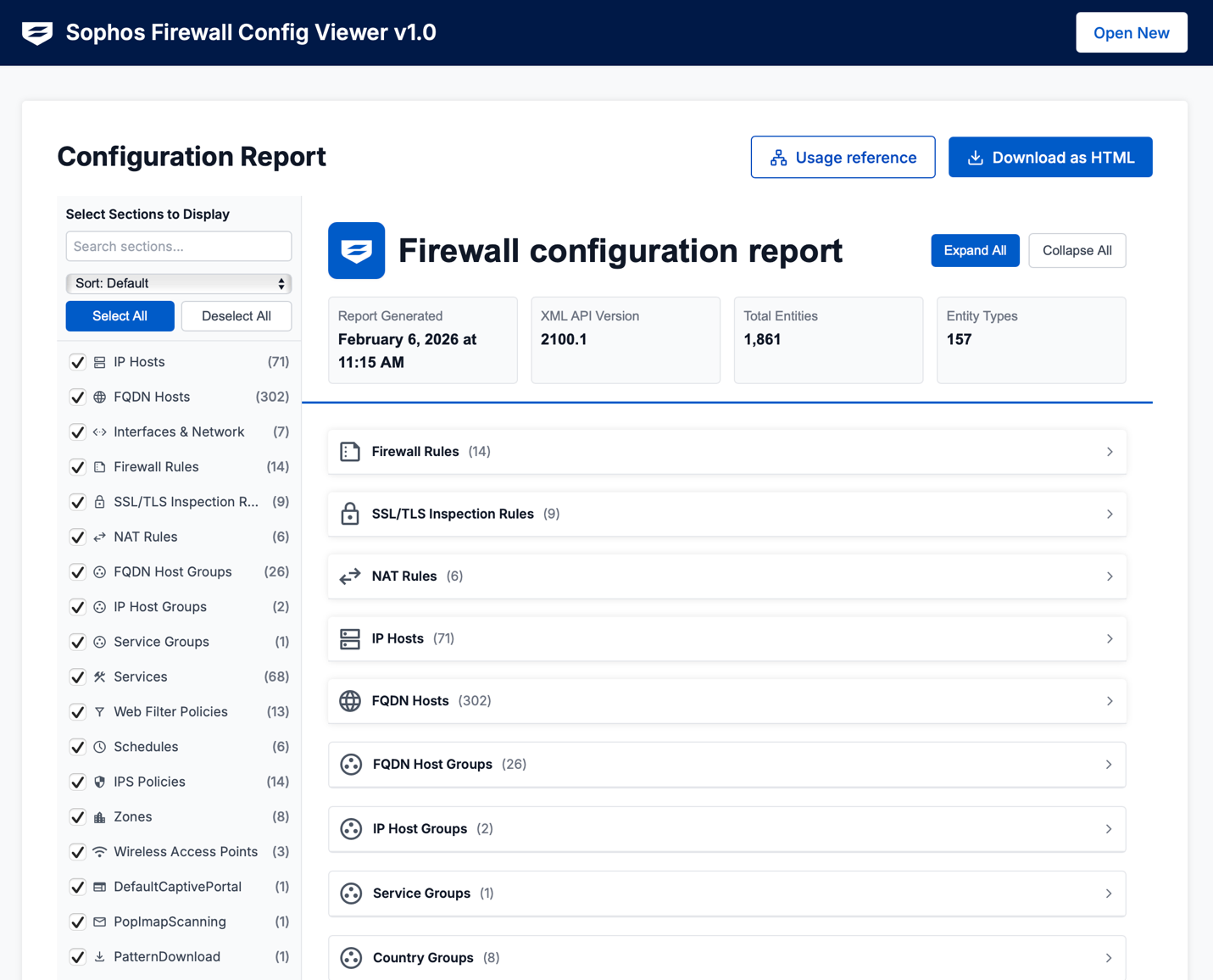
「Usage reference (使用状況の参照)」機能は、設定内でオブジェクトが参照されている箇所を確認できる優れた機能です。
また、2 つの設定をすぐに比較して、追加または変更された要素や相違点を表示できます。
ご利用を開始するには:
Sophos Firewall Configuration Viewer にオンラインでアクセスしてください。