Sophos X-Ops
Representing a powerful evolution in cyber defense, Sophos X-Ops is a joint task force of multiple specialized teams, purpose-built to address the growing complexity of today’s cyberthreat landscape.

Sophos X-Ops threat research


Our team
Sophos X-Ops is a cutting-edge cybersecurity initiative, bringing together more than 1,000 experts from various specialized security domains within Sophos, including Threat Intelligence, Artificial Intelligence, MDR operations, and internal security operations.
- The cross-functional task force strengthens organizational defenses against today’s fast-evolving and highly sophisticated cyber threats.
- By leveraging the combined expertise of its task force, Sophos X-Ops offers a multidimensional response to cyberattacks, ensuring comprehensive protection, detection, and response capabilities.
- This collaborative and innovative approach delivers unparalleled threat mitigation, poisoning Sophos as a benchmark for excellence, and a leader in cybersecurity.
Sophos X-Ops leverages the combined expertise of its cross-functional task force. The synergy among Sophos X-Ops’ cross-functional teams fuels shared intelligence, enabling them to rapidly adapt to evolving insights – accelerating detection and response times while strengthening overall protection capabilities for Sophos customers.

Our team
Sophos X-Ops is a cutting-edge cybersecurity initiative, bringing together more than 1,000 experts from various specialized security domains within Sophos, including Threat Intelligence, Artificial Intelligence, MDR operations, and internal security operations.
- The cross-functional task force strengthens organizational defenses against today’s fast-evolving and highly sophisticated cyber threats.
- By leveraging the combined expertise of its task force, Sophos X-Ops offers a multidimensional response to cyberattacks, ensuring comprehensive protection, detection, and response capabilities.
- This collaborative and innovative approach delivers unparalleled threat response, positioning Sophos as a benchmark for excellence, and a leader in cybersecurity.
Sophos X-Ops leverages the combined expertise of its cross-functional task force. The synergy among Sophos X-Ops’ cross-functional teams fuels shared intelligence, enabling them to rapidly adapt to evolving insights – accelerating detection and response times while strengthening overall protection capabilities for Sophos customers.
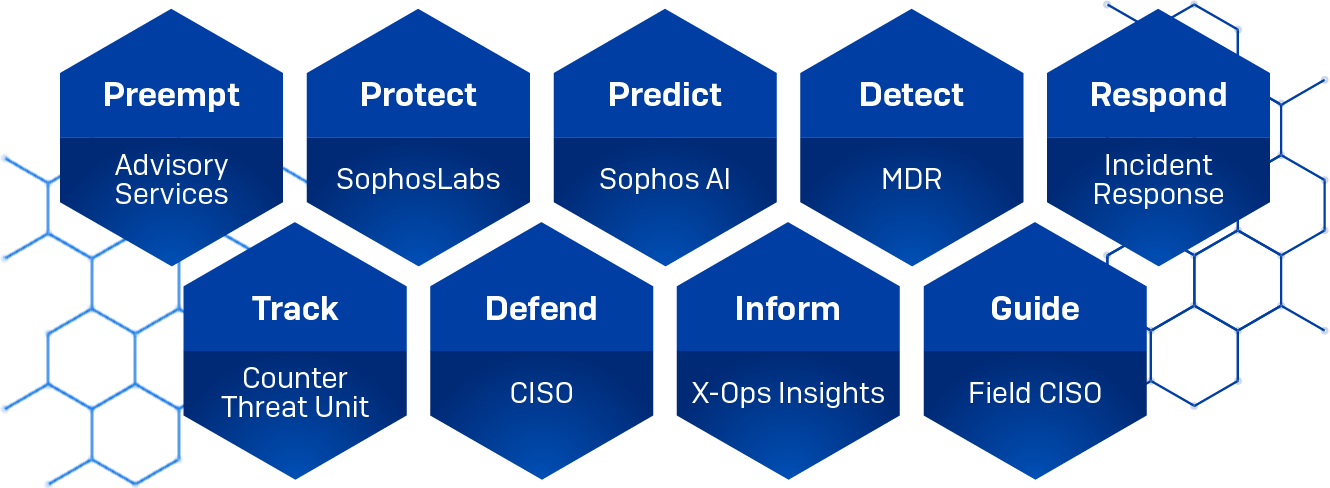
Preempt | Advisory Services
Sophos Advisory Services offers a comprehensive portfolio of cybersecurity testing, assessment, and incident readiness services. These services help organizations understand their security posture, identify weaknesses, and prepare for cyberattacks – ultimately reducing both organizational and reputational risk. By leveraging red, blue, and purple team exercises, as well as penetration testing, organizations can test their readiness for any attack. When an attack cannot be prevented, our cross-functional expertise enables us to deliver rapid investigation, analysis, and remediation with 24/7/365 Incident Response. The team delivering these services holds the highest accreditations globally, including CIR Enhanced (UK), NSA CIRA (Formerly Offered in the USA), BSI (Germany), and SSS (Japan).
Protect | SophosLabs
Powering the threat detection and prevention engines behind Sophos products and services, drawing on a deep understanding of the ever-evolving threat landscape. In addition to supporting Sophos’ own solutions, SophosLabs also fuels Sophos Intelix – a cloud-based threat intelligence solution designed for developers and integrators, offering seamless integration into third-party applications and security workflows.
Predict | Sophos AI
With a constantly expanding database of categorized malicious code, executables, URLs, and telemetry from Sophos products, services, and global customer submissions, Sophos AI is uniquely equipped to train highly effective models. Combined with the deep expertise of this dedicated Sophos AI team, this rich dataset powers over 50 battle-tested machine learning models across Sophos solutions – delivering robust, real-world protection. Since 2017, Sophos has been advancing cybersecurity through embedded Deep Learning and Generative AI capabilities, delivered at scale via the industry’s largest and most open AI-powered security platform, Sophos Central.
Detect | MDR
Focused on the customer and their environment, this team is dedicated to protecting them against advanced human-led attacks. As a flexible service with various tiers and response modes, Sophos MDR can execute full-scale incident response or collaborate with the customer to manage security incidents with detailed threat notifications and guidance. The team provides proactive recommendations to improve security posture and performs root cause analysis to identify the underlying issues that led to an incident. In addition, they provide prescriptive guidance to address security weaknesses so attackers cannot exploit them in the future. Visibility across a customer's ecosystem is vital in detecting and responding to threats. Sophos offers seamless integration with a broad, open ecosystem of technology partners, including endpoint, firewall, network, identity, email, backup and recovery, and other technologies.
Respond | Incident Response
Focused on active cyberattacks and suspected breaches, Sophos Incident Response delivers rapid, expert intervention to contain threats, investigate root causes, and support recovery. Available to organizations of any size, the team specializes in stopping ransomware, advanced persistent threats, insider threats, and business email compromise. Leveraging deep expertise in forensic analysis and threat actor methodologies, they reconstruct the attack timeline and provide detailed guidance to remediate vulnerabilities and prevent future incidents. Onboarding begins within hours, and most organizations are triaged within 48 hours, ensuring swift, decisive, and comprehensive response when it matters most.
When responding to an active threat, the time interval between the initial indicator of compromise and full threat mitigation must be as brief as possible. Forensic investigations ensure a detailed understanding of how the attack unfolded, helping organizations address root causes and prevent recurrence. Onboarding starts within hours, and most customers are triaged within 48 hours.
Sophos is accredited by the UK National Cyber Security Centre (NCSC) as a CIR Incident Response service provider and is qualified by the German Federal Office for Information Security as an Advanced Persistent Threat (APT) response service provider.
Track | Counter Threat Unit
The Counter Threat Unit (CTU) is a team of cyber threat researchers and intelligence specialists focused on tracking, understanding, anticipating, and disrupting malicious activity. By analyzing threat actor behavior, monitoring Hostile State Actor espionage campaigns, tracking eCrime groups, drawing on real-world investigations and telemetry from across the Sophos product lines the CTU identifies meaningful changes in adversary tradecraft and behaviour. Our own intelligence picture is both validated and augmented by relationships with Law Enforcement and National Cyber Authorities. This threat intelligence, “understanding of the threat”, informs customers, the SOC and Sophos staff alike. Inside X-ops, this understanding, informs detection, prevention, and strategic decision-making. The CTU’s work helps organizations stay ahead of evolving threats and strengthen their security posture.
Defend | CISO
Sophos' mission is to protect customers from cyber attacks, the CISO team contributes to this mission by defending Sophos itself. This mission requires us to defend our own infrastructure and services as well as our products running directly in customer environments. This requires a strong focus on secure-by-design principles, comprehensive assurance activities including code reviews, penetration testing, red teaming and bug bounties and, finally, monitoring of product and infrastructure telemetry. We recognize that customer trust must be earned and verifiable. That's why transparency is a longstanding cornerstone of our security program - ensuring customers can verify our commitment to security through open disclosure of threats, vulnerabilities, and details of our internal security practices on our Trust center.
Inform | X-Ops Insights
The X-Ops Insights team is skilled in taking the data and the research created by the Sophos X-Ops organizations and creating consumable content for people at all levels of understanding, from the in-depth technical discussion of how an attack unfolded to industry presentations and blog articles for the general public to advice, actionable guidance and defensive playbooks targeted at CISOs, CIOs and CTOs.
Guide | Field CISO
The Field CISO teams build trust in Sophos through community collaboration and executive-level guidance for our customers. With decades of collective experience in both Sophos technology and across multiple Cybersecurity disciplines, the team is experienced in public speaking, press, executive communications, and thought leadership. They also evangelize and adapt the Sophos technology vision across all specializations and beyond, strengthening Sophos' market position and reputation.
Innovation in cybersecurity
Comprehensive threat intelligence
Sophos X-Ops provides detailed insights into how threats are constructed, delivered, and operated in real-time, allowing for a complete understanding of the attack landscape. This extensive knowledge empowers Sophos to develop robust and effective defenses against advanced threats.
Commitment to transparency
Sophos X-Ops is dedicated to transparency and the open sharing of threat intelligence. The team regularly publishes threat research on its blog and participates in industry events and conferences to disseminate valuable information. This commitment helps businesses, governments, and individuals enhance their cybersecurity defenses. The team also collaborates with the industry through membership in organizations such as the Cybersecurity and Infrastructure Security Agency (CISA) Joint Cyber Defense Collaborative (JCDC), Microsoft Active Protections Program (MAPP), and the Cyber Threat Alliance (CTA).
Disruption and collaboration
Sophos X-Ops disrupts cyberattackers by targeting their operations, infrastructure, and financial resources. This multidisciplinary approach involves collaborating with partners and law enforcement to neutralize threats effectively. The formal establishment of Sophos X-Ops enhances the speed and efficiency of these collaborative efforts, ensuring a swift response to fast-evolving cyberthreats.
Innovation and future vision
Sophos X-Ops fosters a strong foundation for innovation, which is essential for combating the rapid advancements in cybercrime. The integration of AI within the Sophos security operations center (SOC) enables the use of technology to anticipate security analysts' needs and provide proactive defensive measures. The AI-assisted SOC model is expected to accelerate security workflows and improve the detection and response to novel and critical threats.
Technology and threat intelligence from Sophos X-Ops are core to the protection functionality in every Sophos Product. Learn more about Sophos's product offerings.


Resources
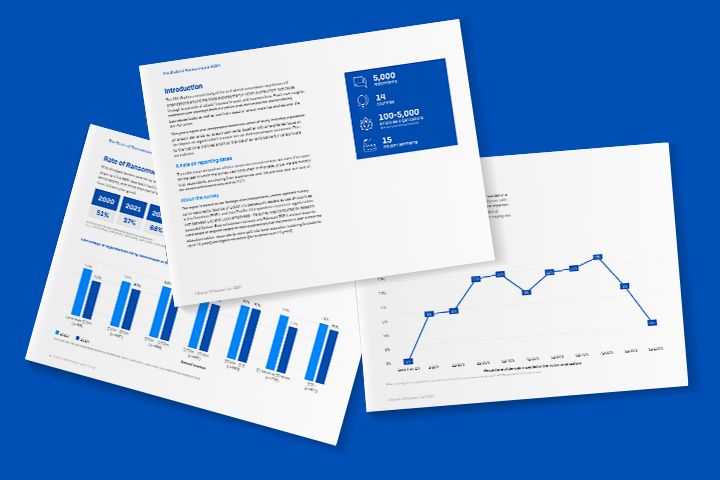
Sophos X-Ops combines deep expertise across the attack landscape to defend against the most advanced threats. Explore our latest threat intelligence reports.



Advanced Threat Response Joint Task Force
Latest Research
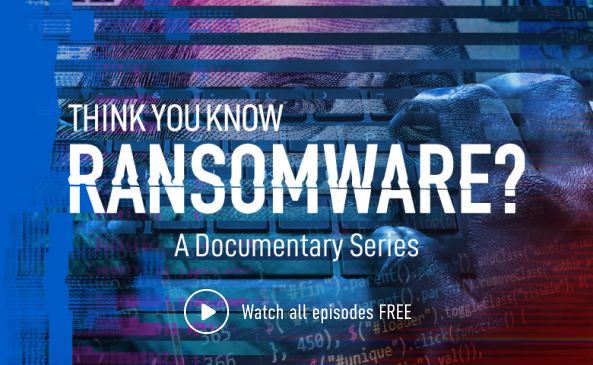
Think You Know Ransomware?
A gripping documentary that delves into the alarming realities of ransomware, revealing the far-reaching consequences that affect both business owners and society at large.
Cybersecurity threats are complex and sophisticated.
Sophos X-Ops brings together deep expertise across the attack environment to defend against even the most advanced threats.
- Deep malware analysis and response expertise from the SophosLabs threat experts
- Real-time intelligence from the Sophos Managed Detection and Response threat hunting and neutralizations specialists
- The frontline incident response experience of Sophos Emergency Incident Response
- World-leading deep learning capabilities from Sophos AI
- Security operations expertise from the team running Sophos’ own defenses
Deeper Understanding Drives Better Defenses
Sophos X-Ops provides unparalleled insights into how threats are built, delivered, and operate in real time, revealing the full attack picture. Armed with this deep understanding, Sophos is able to build powerful, effective defenses against even the most advanced threats.
Sharing Threat Intelligence to Enable Defenders
Sophos is committed to transparency and openness with threat intelligence to enable businesses, governments, and individuals to better defend themselves from adversaries. Sophos X-Ops regularly publishes threat research on our blog and participates in conferences and industry events.
Resources
Sophos X-Ops brings together deep expertise across the attack environment to defend against even the most advanced threats.