Mobile Device Management
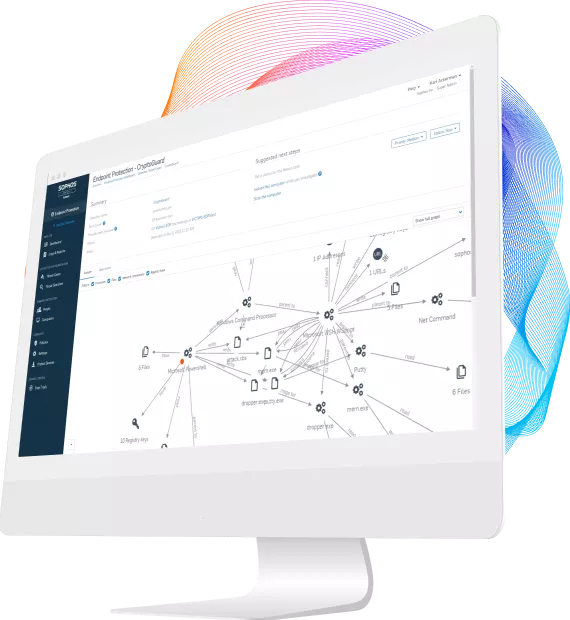
Keep your users and your information safe by managing all your smartphones and tablets from a single web-based console.
Monitor and control your devices
Whether you deploy mobile devices or your employees bring their own, we know how important it is to keep track of all the devices on your network.
Sophos Mobile Control provides an easy way to manage your smartphones and tablets throughout their full lifecycle. From the initial set up and enrollment, right through to decommissioning, you'll be able to support Bring Your Own Device (BYOD). Our intuitive tools will help you get the job done.
Learn more about mobile device management
- Enroll and set up your company- and employee-owned devices in an intuitive web-based admin console
- Connect to your existing user directory (e.g. Active Directory) using LDAP
- Configure policies for your devices and deploy them over the air
- Turn on the built-in security features for iOS, Android, Windows and BlackBerry devices, including password protection and encryption
- Drill down to the individual settings for all registered devices for configuration, serial numbers, model and hardware details, installed applications and much more
- Manage your apps with our Enterprise App Store
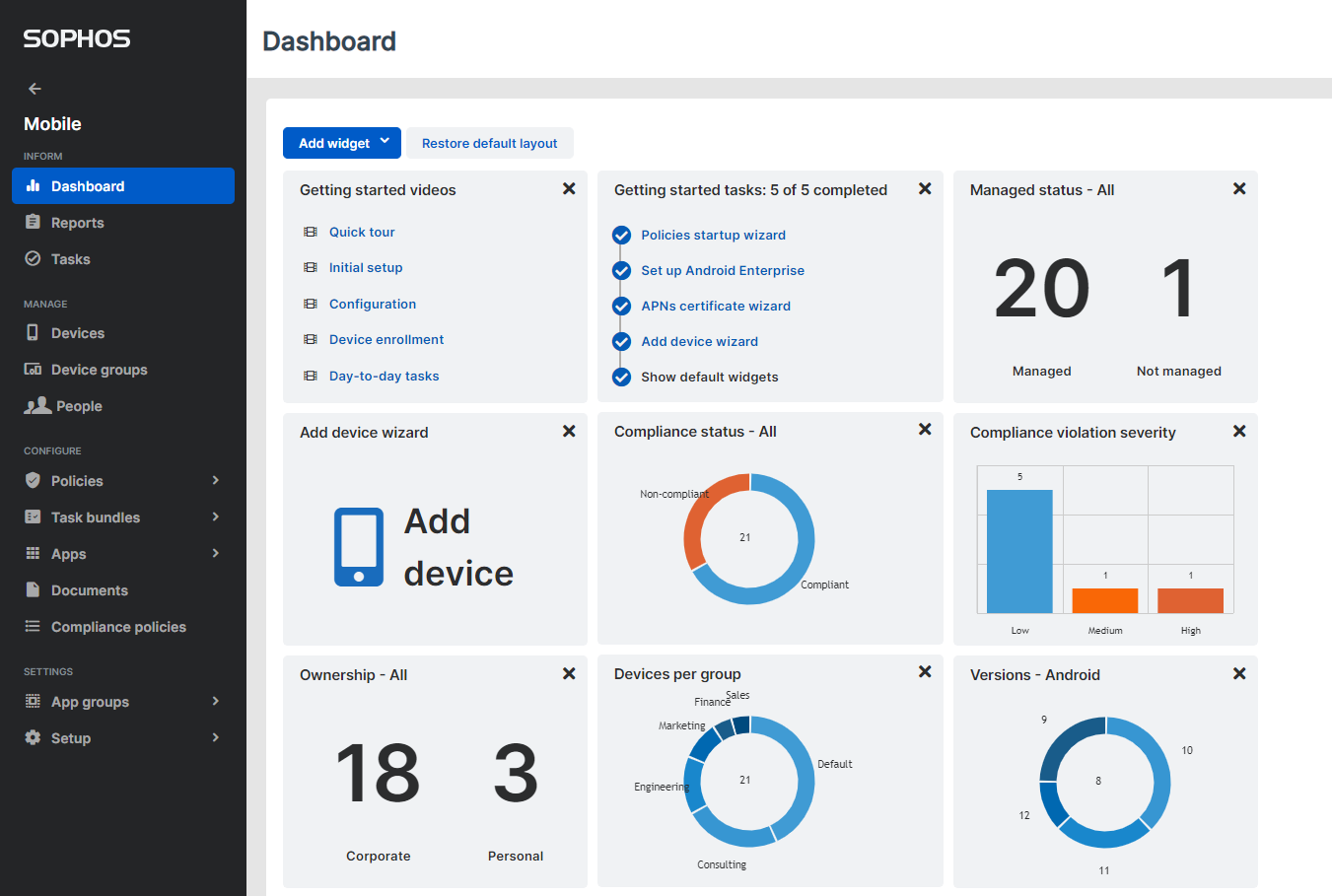
- Use the dashboard to get the status of your devices at-a-glance
- Define which features are available to your users using our a self-service portal
- Initiate mitigation actions in case of loss or theft, such as lock, wipe, remote alarm and SIM change notification
- Locate Android and iOS devices
Mobile Inventory and Reporting
Sophos Mobile Control shows you your device data at a glance. Clearly structured tables or pie charts show you all your devices. They'll show you who they belong to, what platform they're running, if they're compliant and much more.
Learn more about mobile inventory and reporting
- Display a device inventory with all registered devices and basic data about their current status
- Show your device group inventory with active user groups and the number of members they have
- Add new devices and groups or edit data directly via the inventory section
- Access individual device details, compliance violations and properties
- Import lists of users from a .csv file or link to your existing user directory using LDAP
- Use graphical reports to display the most important data in pie charts
- Get a report on data traffic and roaming for each individual device
- Prove your compliance
^Back to top
Mobile Security
Keep your users and data safe by providing additional security for your Android devices.
Malware Protection
We know how important it is to have full control over your mobile protection. That's why you can optionally integrate our Mobile Security app into your Mobile Control console and fully manage all features from there.
- Control malware protection from Sophos Mobile Control
- Trigger a scan when the Mobile Security app is out of date
- Automatically block outdated or infected devices
- Block or allow suspicious or potentially unwanted apps (PUAs)
Web Protection
Protect your Android users from malicious websites. If one of your users tries to visit a website containing a known threat, they'll receive a warning.
^Back to top
Compliance Enforcement
Mobile devices help your users work wherever they are. But that flexibility shouldn't come at the cost of your security. Your BYOD initiative should include an Acceptable Use Policy to ensure your users are aware of any measures you may take if a device breaches your security policies.
Enforce Security Policies
Sophos Mobile Control allows you to set up user and group-based security policies. Your security settings can also vary from one platform to another. The status of your devices is never more than a click away. Set task bundles and individual actions for many different violations.
Learn more about compliance enforcement
- Ensure that only registered devices that meet your policies have full access to corporate data
- Set up group and user-based compliance rules
- Create separate rules for your corporate devices and those owned by your users
- Block non-compliant devices or perform other risk mitigation tasks
- Set your risk mitigation to suit the severity of any breach
- Create task bundles to perform a number of actions when polices are breached
- Show users their compliance status in the self-service portal and on their device
- Provide guidance for users to help them become compliant
- Display your compliance rules in the device group inventory
Risk Mitigation
Risk mitigation actions can be set according to the severity of a breach. For minor cases, you may want to simply inform the user. If your data is at risk, a remote wipe may be the only viable option. The actions vary for each platform, but the most common platforms such as Android and iOS allow you to:
- Disallow ActiveSync to block email access
- Notify the admin
- Perform a remote lock or wipe
- Locate a device using 3D maps
- Trigger a remote alarm
- Transfer a task bundle, combining a number of actions
Additionally, if you use Sophos Mobile Security:
Compliance Check
The settings available to you in the compliance check vary for each platform.
Some of the most widely used features include:
- Allow or disallow root rights or jailbreaking
- Minimum client version
- Minimum OS version
- Allow/disallow app downloads from non-market app stores
- Maximum time since last synchronization
- Require encryption
- Allow or disallow data roaming
- Whitelist or Blacklist apps
- Make apps mandatory
Additionally, if you use Sophos Mobile Security:
- Set maximum intervals since last Mobile Security scan
- Disallow malware apps
- Allow or disallow suspicious apps and potentially unwanted apps (PUAs)
^Back to top
Mobile Application Management
Give your mobile users all the apps they need to get access to business applications and other tools to do their job.
Enterprise App Store
The Enterprise App Store in Sophos Mobile Control allows you to supply your users with recommended and required apps directly on their device. Both your in-house and app store apps are shown on the user’s mobile device, where they can click to trigger the installation.
- Safely distribute recommended or company-developed apps
- Define software packages in the admin console and push them to individual devices, groups or platforms
- Distribute iOS-managed apps to users and delete them and all their data, if required
- Blacklist apps that might be risky or time-wasting
- Whitelist the apps you want your users to have
- Avoid users going to non-market app stores
- View a full list of apps installed on each device
^Back to top
User Self-Service
With so many different mobile devices to manage, you need a simple solution to keep your users working without increasing the burden for your IT.
Self-Service Portal
Sophos Mobile Control comes with a self-service portal built-in. Empower your users to do many common tasks themselves. After all, they would usually be the first to know if their device has been lost or stolen. Rather than every user contacting your help desk, they can use the self-service portal. Let them register their devices, change their password and much more.
- Allow users to register their own devices and agree to an acceptable use policy you define
- Let them use their personal device as part of your BYOD program—and you can make sure it's secured
- Let users choose to remotely locate, lock or wipe their devices and reset their passcode without having to contact your help desk
- Provide a simple step-by-step process when they register a device. All profiles, including email access, are available immediately after registration
- You define which features are available in your self-service portal from the admin console
- Your users can access the portal from their mobile device or from any PC with Internet access
^Back to top
Easy configuration and maintenance
Easily install and maintain control with over-the-air setup and configuration from a web console.
Simplified configuration
Mobile Device Management (MDM) made easy with Sophos Mobile Control. Our intuitive web-based console puts all common tasks at your fingertips.
- Automatically assign profiles and policies to users or groups based upon their AD group membership
- Set the device status, its compliance state and whether the user is allowed to receive email
- Configure your iOS devices directly in Sophos Mobile Control—you no longer need to use the separate iPhone Configuration Utility. But, you can still upload your iPCU files, if you prefer
- Configure the MDM settings for Google Android and Samsung SAFE devices directly in Sophos Mobile Control. We've used the Samsung and Google APIs to give you a new user interface for configuration of your Android devices
Easily maintained
We've optimized workflows, making sure your admin can easily find all the data they need to quickly manage devices and policies.
- Deploy security policies over-the-air. Maintain your mobile devices anytime, anywhere. This way, your users don't have to visit your help desk
- Display graphical reports with all the most important data at-a-glance
- Use the actionable interface, putting problem mitigation just a click away
- We support the Simple Certificate Enrollment Protocol (SCEP), providing the certificates your corporate and employee-owned mobiles need to access your network and other resources
^Back to top